Step 1
Set up the project
Choose the kind of work. A project name and location are optional.
A clearer way to review building proposals
See what’s included, who handles the work and what still needs an answer. We’ll guide you through it, one step at a time.
For testing with fictional documents only. Do not upload confidential documents. Check every result; unknown costs are never zero.
Five steps
Step 1
Choose the kind of work. A project name and location are optional.
Step 2
Choose up to three PDF proposals. We’ll explain if a file can’t be read.
Step 3
Check the company and price. You can correct details and see their original wording.
Step 4
See what’s included, who does what and which questions still need answers.
Step 5
Keep a report with the details and questions to take to your builder.
See the working product
Actual BuildScope screens using fictional proposals. Open a screen to inspect it, or try the interactive example with no files needed.
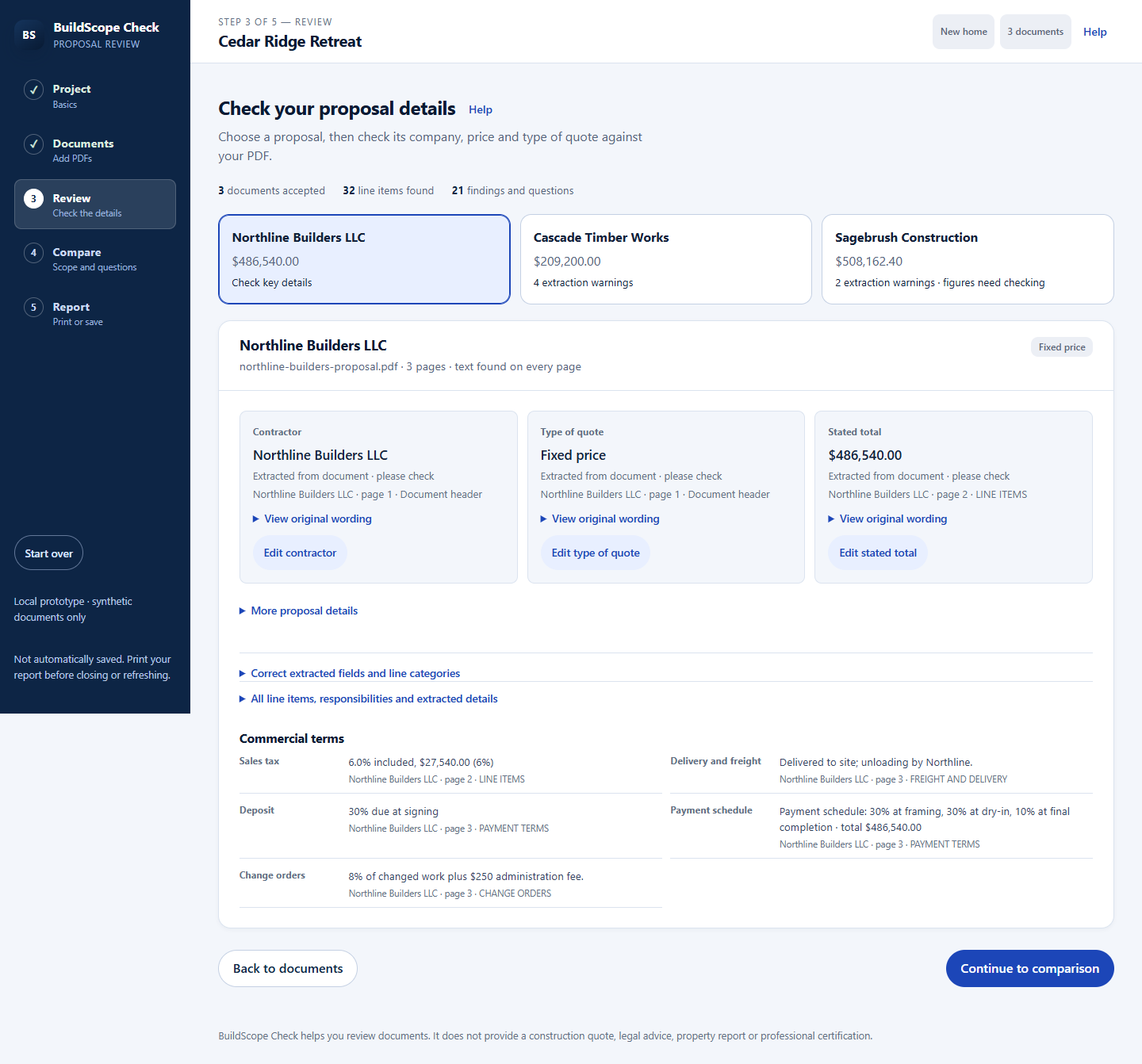
Review extracted prices and wording before comparing. Corrections stay separate from the original evidence.
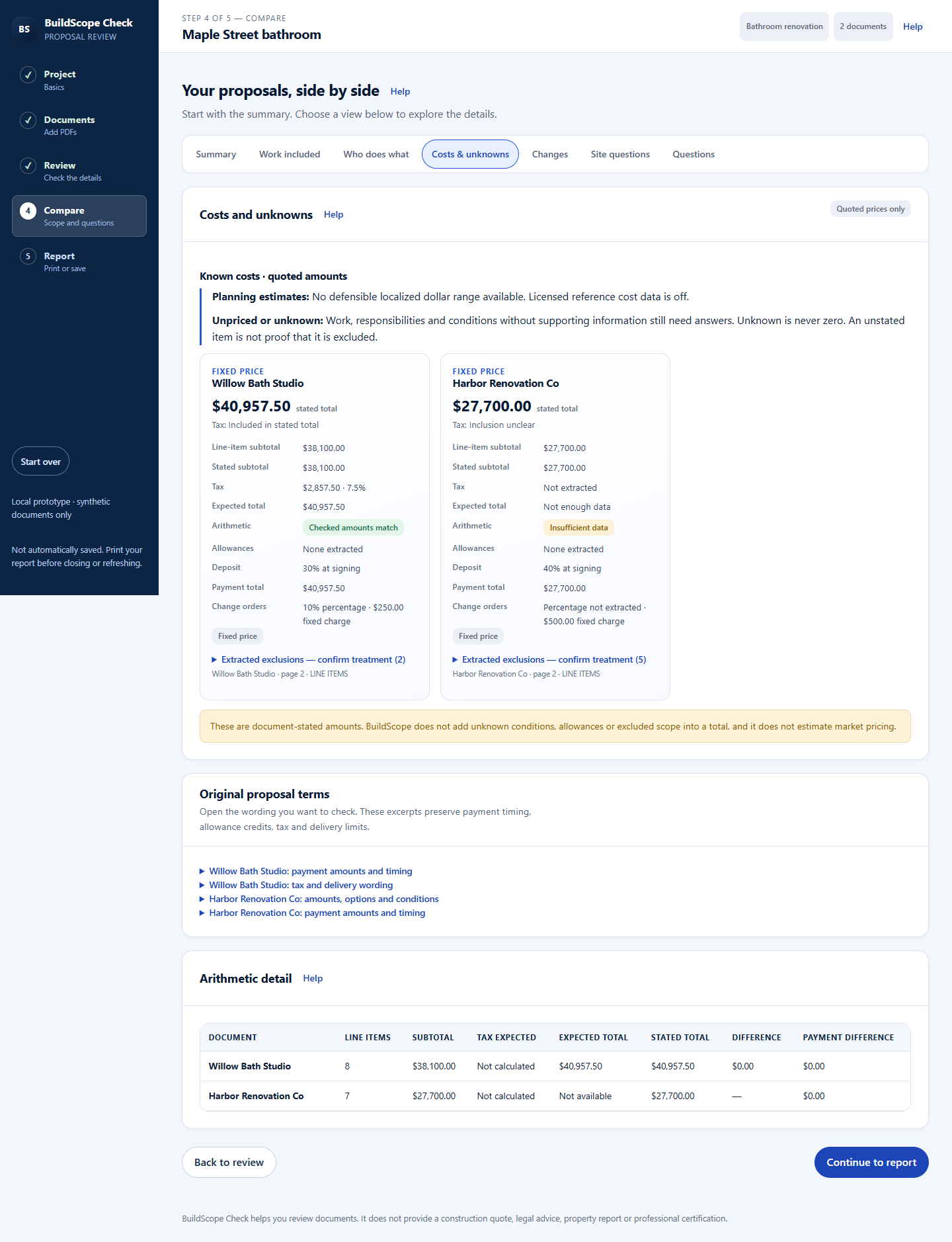
See quoted amounts, allowances and missing prices without treating unknown work as free.

Print or save a report that keeps the source references and unresolved questions together.
Compare scope across builders, from site preparation to finishes. Find the work that needs another quote.
Separate supplied materials from installation, delivery and unloading responsibilities.
Review fixtures, allowances, plumbing changes and possible concealed conditions.
Up to three PDFs with selectable text. Scans and image-only files need a text-based replacement. This preview is for fictional documents only.
You make the decision. BuildScope organizes the proposal evidence and questions; it cannot inspect workmanship or guarantee a final price.
Print or save the report and share it deliberately with the people helping you decide. Shared team workspaces and member permissions are not available in this preview.
Subscriptions, team plans and pricing are not available yet. Explore the fictional example now; this build does not take payments.
Do not rely on this preview to retain your work. Print or save your report before closing the page.
One-time use and ongoing subscriptions are planned. No payment can be made in this build.